
Turn speech into a visual rhythm.
Keep every word editable.
Create timed captions from one clip or the complete project mix. Review the transcript, choose how the words move and create matching voiceover without leaving the edit.
 AUTO CAPTIONS
Say it. Style it. Keep it editable.
Three steps from speech
to a finished visual rhythm.
Start with the sound that matters. Review the words once. Then control the complete caption system without rebuilding each line.
Choose the source
Transcribe one audio or video file, or use the audible result of the complete edit.
Makeeverywordclear.
Review the transcript
Correct wording and timing before it becomes a styled caption track or narration.
Make every word
part of the edit.
Add the editable track
Every segment stays visible on the timeline and shares one deliberate style system.
Generate once.
Correct exactly where it matters.
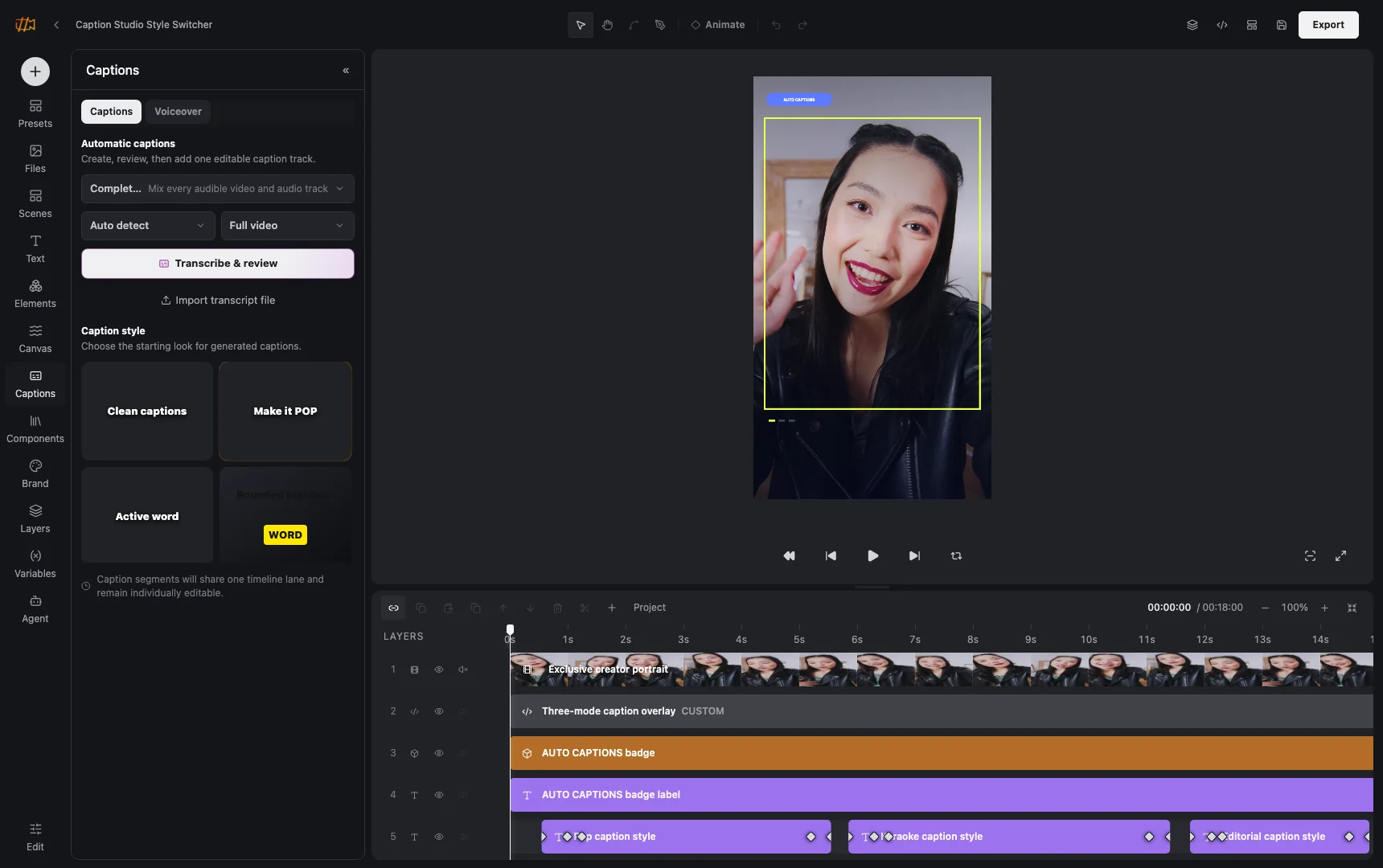
Caption creation, style selection, video preview and the dedicated timeline lane live in the same editor. There is no separate subtitle tool and no flattened result to work around.
- One selected source or the complete project mix
- Caption segments remain individually editable
- A style change can update the complete track
See every style move.
Choose the rhythm that fits.
Active words, traveling highlights, typewriter builds and quieter editorial motion run side by side. Start with a complete system, then tune typography, color and pacing for the whole track.
Makeeverywordcount.
Makeeverywordcount.
Makeeverywordcount.
Make every word count.
Makeeverywordcount.
Makeeverywordcount.
Makeeverywordcount.
Makeeverywordcount.
Design around
the words
people hear.
Keep editing.
The transcript is a starting point.
The final pacing is yours.
Split a sentence where the cut needs energy. Merge an awkward break. Rewrite a phrase or move its exact in and out points while the video stays visible.
Split + mergeShape readable phrases without retranscribing.
RewriteCorrect the text directly on the selected segment.
RetimeAlign every block to the performance and edit.
Start with a script.
Or let the edit provide one.
Use reviewed captions, write a fresh script or transcribe existing media first. Choose the voice and pace, preview the result and place it on the timeline as an ordinary audio layer.
01Caption trackReuse reviewed words and timing.
02Written scriptCreate narration from a new message.
03Media transcriptionTurn existing speech into an editable draft.
00:00.0Great products deserve a clear story.
00:03.2Build the visual, review the words,
00:06.1then let every version speak.
VOICEWarm · clear
PACE1.0×
RANGEFull video
Useful with sound on.
Understandable with sound off.
Reels and Shorts
Turn spoken hooks into paced, on-brand captions that remain easy to correct.
Product explainers
Add readable narration and subtitles to screen recordings, demos and walkthroughs.
Localized versions
Reuse reviewed timing and visual style when a story needs another language or voice.
Captions that stay part of the project.
01Is this available in both image and video projects?
The page states where a capability applies. Shared controls use the same visual language in both editors.
02Does it remain editable after using AI?
Yes. The assistant changes ordinary project layers and versions, so you can inspect and refine the result.
03Can the same result be automated?
Yes. Projects can become typed templates or be rendered through the focused V2 API and MCP surface.
Let people follow
every part of the story.
Open Studio for free, add a real clip and turn its sound into editable captions.
Start creating free