
Video Studio
Edit scenes, tracks, keyframes, transitions, audio and captions on one synchronized timeline.
Video Studio combines the canvas with a layered timeline. Moving the playhead updates the canvas to the same project time.
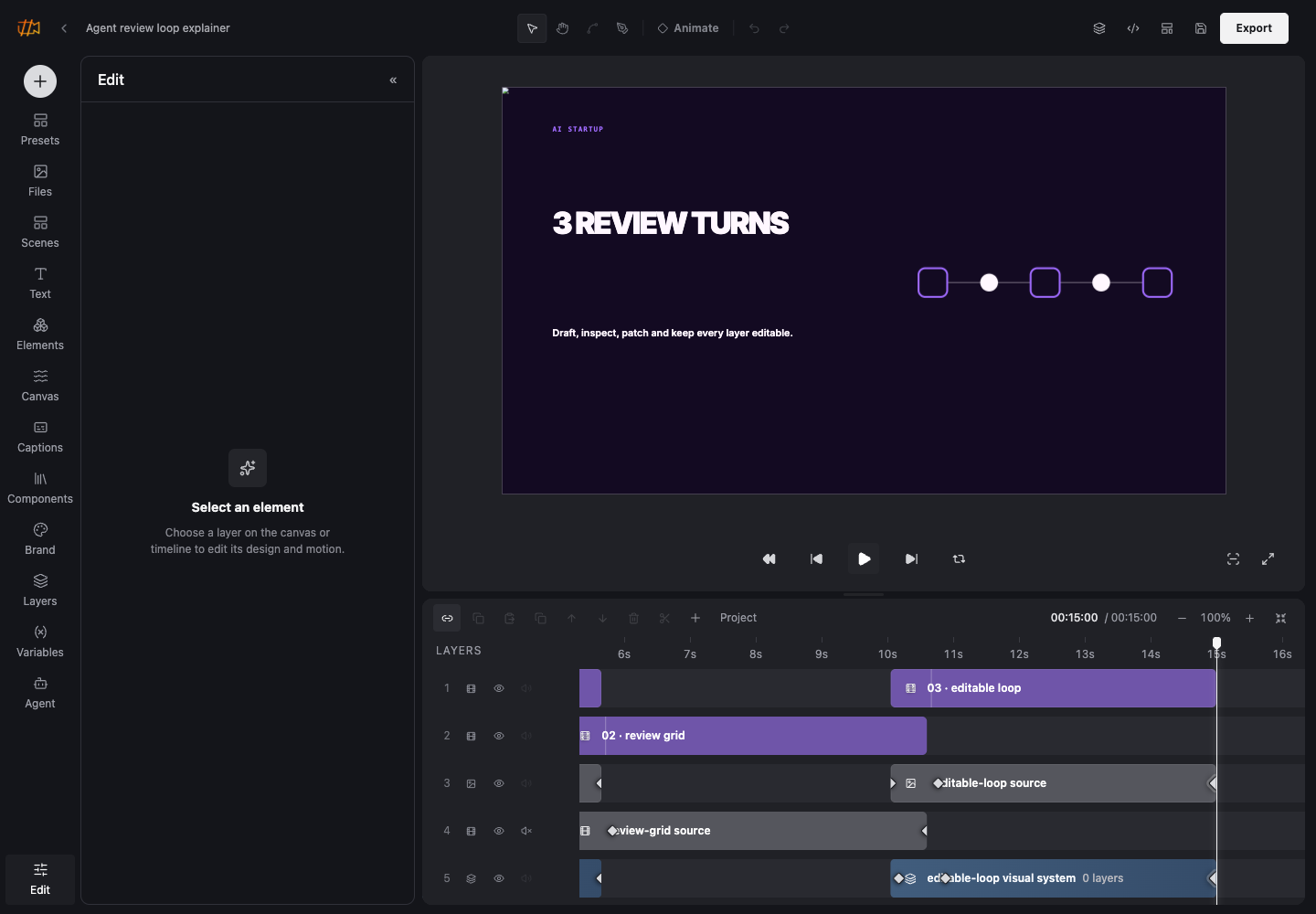
Timeline controls
Each layer has a start, duration and integer track. Scenes provide editorial sections; groups keep related layers together. Tracks determine visual order among siblings, while the HTML hierarchy determines grouping and local compositing.
Motion and edit decisions
- Add property tracks for position, scale, 2D or 3D rotation, opacity, size, filters, colors, clipping and volume.
- Place keyframes at fractional seconds and choose a preset or cubic Bézier easing.
- Use transitions for the edit between adjacent or overlapping clips.
- Apply independent entrance and exit effects to text.
- Trim footage and audio without changing the source file.
Sound and captions
Video layers and audio layers support trim, playback rate, volume, fades, mute and loop. Audio layers additionally support normalization and ducking. Caption layers keep word timing separate from typography and highlight style.
Agent review loop
A 15-second multi-scene project with editable layers and time-based motion.
Continue with Timeline, scenes and groups, Motion and transitions and Audio and captions.