
Everything you need to generate media
One API that turns JSON into production-ready images and videos. Full creative control, no templates, no visual editor.
Interactive Playground
Build visually, ship as JSON
The built-in playground gives you a split-view JSON editor with live preview, a visual block editor for layers, and an AI assistant that generates configs from natural language.
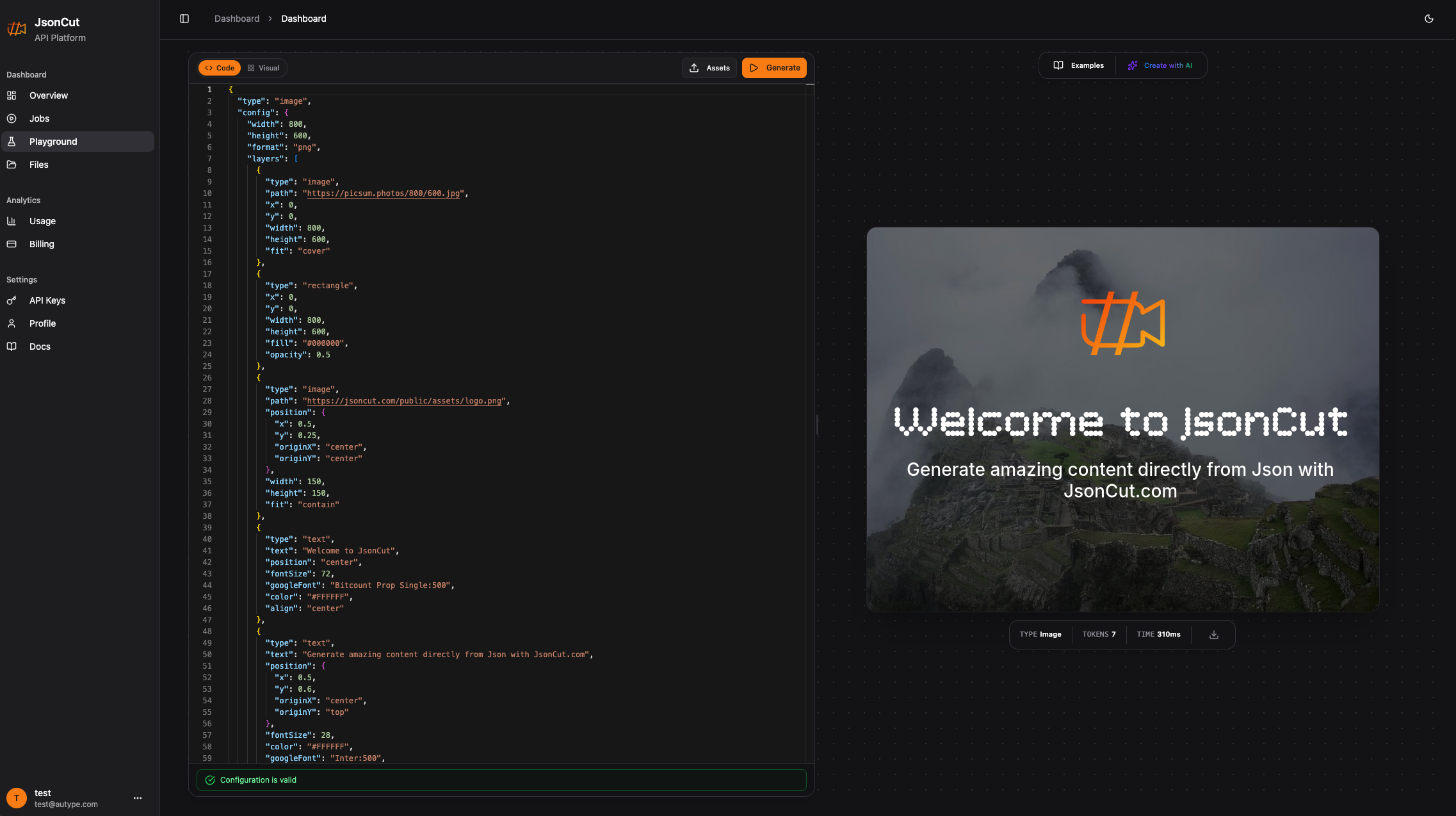
JSON Editor with live preview
Edit your config and see the output update in real-time. No round-trips to the API needed.
AI-assisted template generation
Describe what you need in natural language. The AI assistant generates a complete, working JSON config.
Built-in validation
Configs are validated in real-time. Errors are highlighted before you generate.
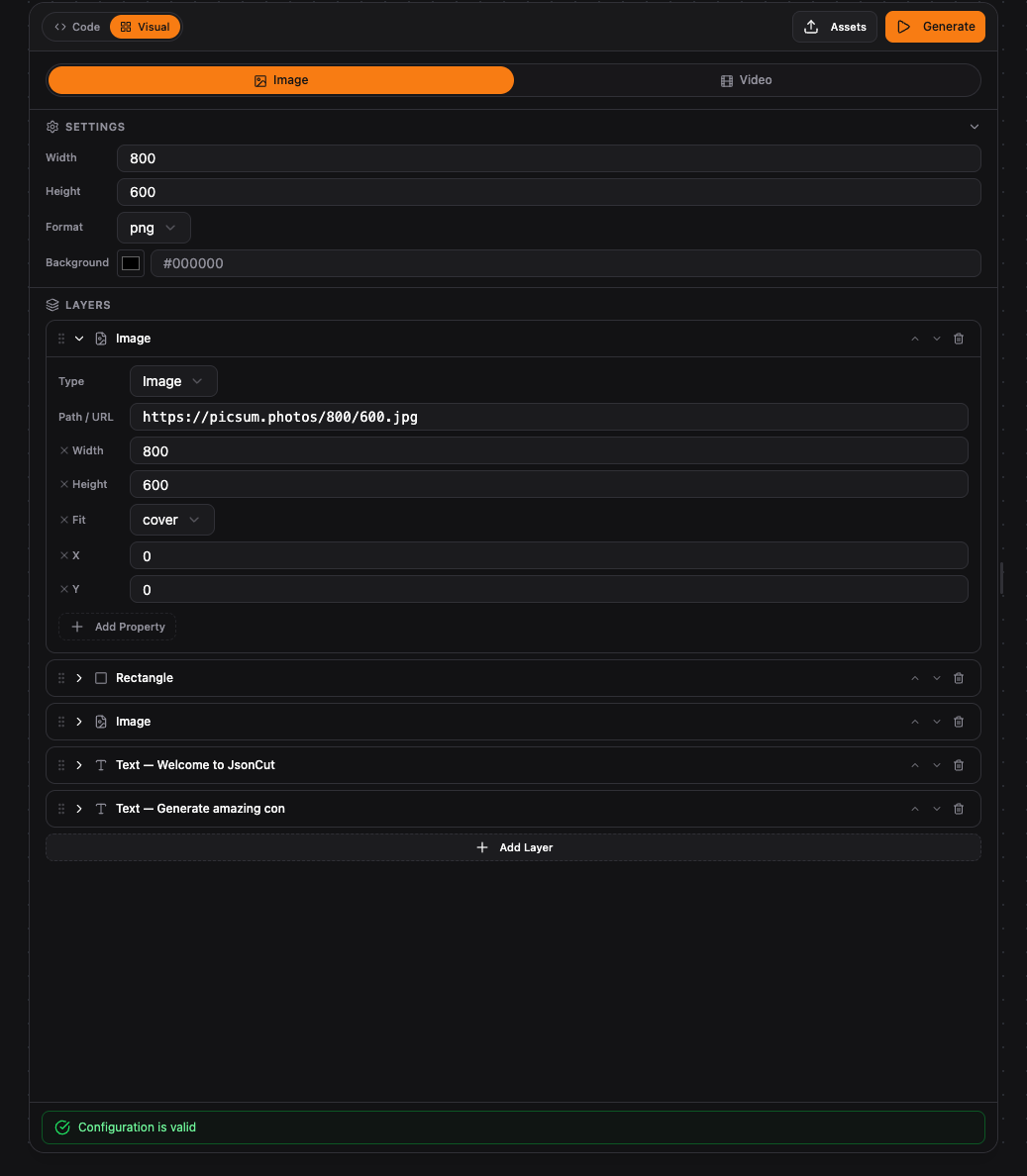
Visual block editor
Switch to the visual view to manage layers, adjust properties, and reorder elements with drag-and-drop.
Layer management
Add, remove, and reorder layers visually. Each layer shows its type, properties, and preview.
No code required
Build complete image and video configs without writing a single line of JSON.
Developer Experience
A schema that's easy to understand
No proprietary DSL. Just standard JSON with clear property names. If you can read JSON, you can build with JsonCut. Configs are validatable, version-controllable, and AI-friendly.
Standard JSON format
Works with every language, every tool, every AI model. No learning curve.
Schema validation
Validate configs before rendering. Catch errors early, not during generation.
Reusable templates
Store configs as templates. Swap dynamic values per request for bulk generation.
Version-controllable
Keep configs in Git alongside your code. Diff, review, and rollback like any other file.
{
  "type": "image",
  "config": {
    "width": 1200,
    "height": 630,
    "layers": [
      {
        "type": "gradient",
        "colors": ["#0f172a", "#1e293b"]
      },
      {
        "type": "image",
        "path": "/uploads/logo.png",
        "x": 60,
        "y": 60,
        "width": 120
      },
      {
        "type": "text",
        "text": "Summer Sale",
        "fontSize": 72,
        "fontFamily": "Poppins",
        "color": "#ffffff",
        "x": 600,
        "y": 280
      }
    ]
  }
}
Maximum Flexibility
Full creative control over every pixel. No templates restricting what you can build.
Up to 50 layers
Stack images, text, shapes, gradients, and rectangles. Control z-order, opacity, and blend modes per layer.
Google Fonts support
Use any Google Font or upload custom fonts. Full control over size, spacing, line height, shadows, and outlines.
Pixel-perfect positioning
Absolute pixel coordinates, anchor points, and responsive modes. Resolutions up to 4K.
Image manipulation
Crop, resize, rotate, and apply filters like blur, brightness, contrast, and saturation to any layer.
HTML & CSS support
Use HTML and CSS for complex layouts and animations. Full browser-level rendering power.
Gradients & effects
Linear and radial gradients, blend modes, drop shadows, rounded corners, and border styling.
Video Generation
Advanced clip mixing
Combine video clips, still images, audio tracks, and text overlays. 60+ built-in transitions, Ken Burns effects, and full audio mixing. Output as MP4 or GIF.
60+ transitions
Crossfade, wipe, zoom, slide, and OpenGL shader effects between any clips.
Multi-track audio mixing
Background music, voiceover, sound effects. Control volume, fade-in, and fade-out per track.
Ken Burns & zoom
Turn still images into dynamic video clips with automatic pan and zoom effects.
Animated text & subtitles
Per-clip text overlays with custom fonts, positioning, and timing. Built-in subtitle layer.
API & Integrations
Built for automation, not manual clicks. Send JSON, get media.
REST API
Clean endpoint design. Send JSON, receive media. Synchronous for images, async with polling for video.
n8n Node
Dedicated n8n node for drag-and-drop integration. Configure JSON visually, trigger from any event.
Make
Use HTTP request actions to call the JsonCut API from Make scenarios. Works with any trigger.
MCP for AI Agents
Connect via Model Context Protocol so AI agents can generate media from natural-language instructions.
Multiple API Keys
Create separate keys per project or environment. Track usage per key. Rotate without downtime.
Any HTTP Client
Works with curl, Postman, Python, Node.js, or any language that can make HTTP requests.
Professional Dashboard
Full visibility into your account: analytics, job history, and file management.
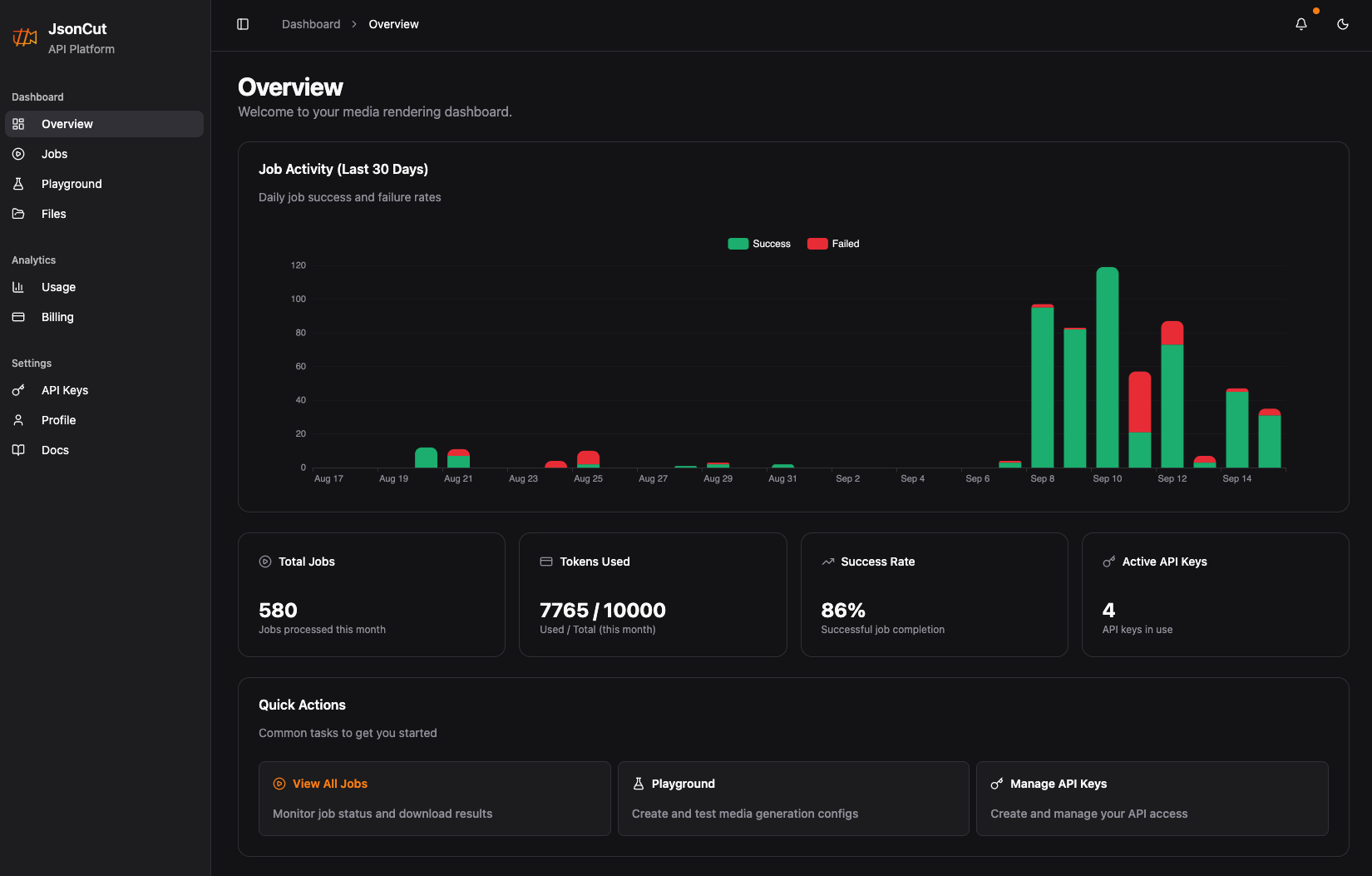
Usage Analytics
Track token consumption, request volume, and average processing times in real time. See which API keys drive the most usage.
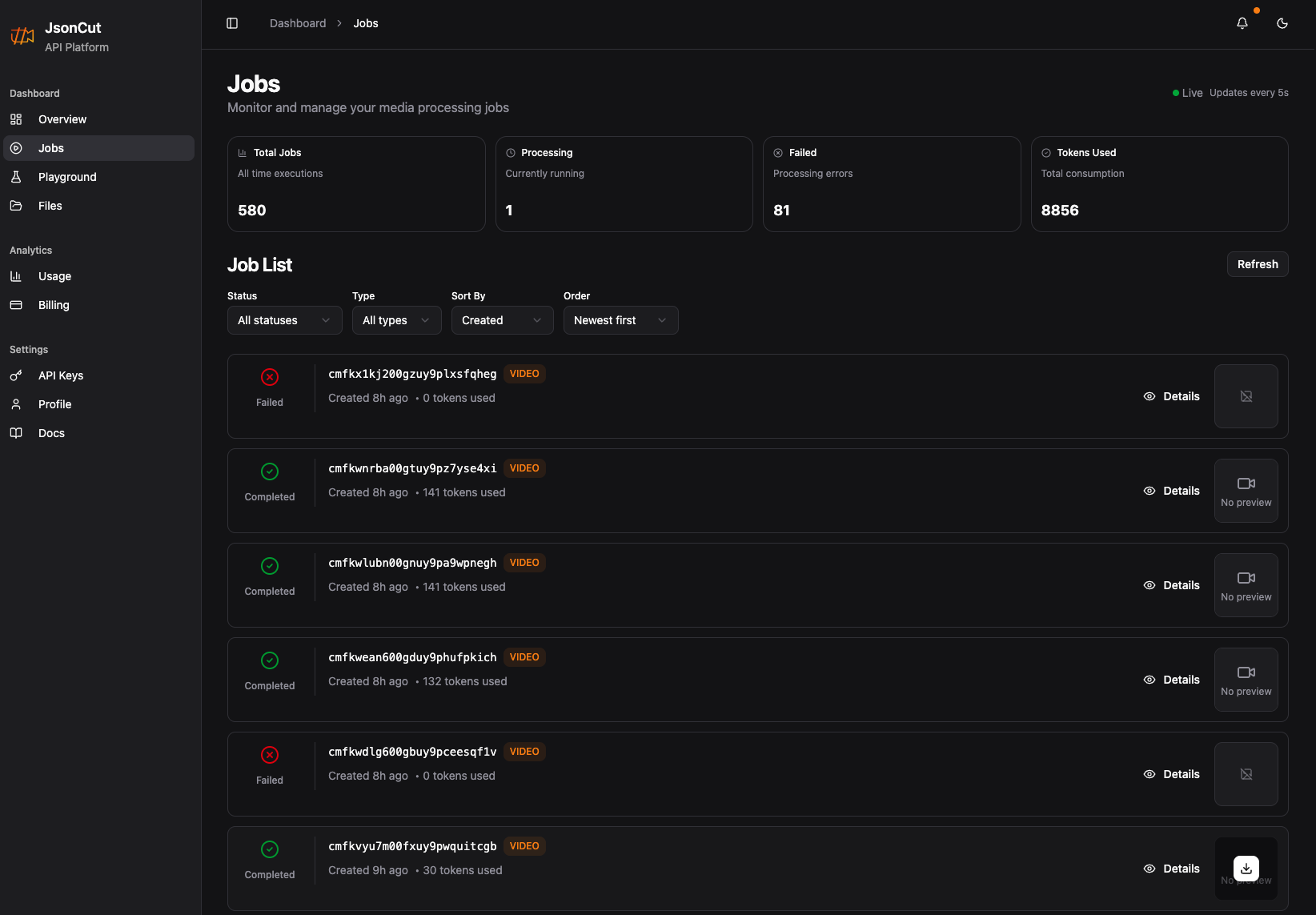
Job Management
Browse all generation jobs with status, duration, and output previews. Download results or inspect configs for debugging.
Interactive Playground
Test configs with live preview. Perfect for prototyping before going to production.
API Key Management
Create and manage multiple keys with different permissions. Track usage per key.
File Management
Upload and organize media assets. Built-in browser with preview and metadata.
Output Formats
Choose the right format for your use case. Control quality, compression, and resolution per request.
Your first image in under a minute
Create a free account and generate your first image. 2,000 tokens included every month.